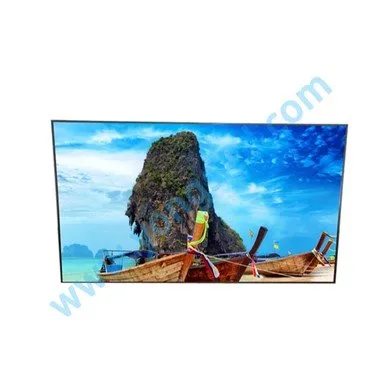
The smart conference tablet touch all-in-one machine mainly faces corporate offices, corporate meetings, or discussion and communication meetings. The appearance is a bit like an LCD TV. It can display various contents through a large size and has a touch function, which can realize touch operation. At the same time, it can cooperate with accessories to solve the needs of multi-person collaborative meetings in the meeting. What are the functions of the smart conference tablet touch all-in-one? Let's take a look!
Touch all-in-one
1. Mirroring
Mingjinkang MJK series smart conference tablet supports convenient screen projection function.
(1) The source of projection is a laptop computer, and the mobile internet era of smart phones. The content that everyone needs to share on the big screen is not only from the laptop, but also from the personal smart phone, whether it is an iphone or an android. mobile phone.
(2) The laptop of each projection screen source can switch the projection screen freely and conveniently. A single person does not make a meeting, and the meeting must be multi-person, so the projection switching of many people and multiple laptops is particularly important. It is one of the important features of smart conference tablets that the signal source of the presenter can be easily switched.
2. Writing
Writing is an important part of the meeting. It has evolved from traditional water-based pen whiteboards to smart electronic whiteboards. Unlike previous whiteboards, smart conference touch all-in-one machines are more convenient than traditional whiteboards. General touch all-in-one machines can also write, but The sense of experience is much worse than traditional writing, which is mainly reflected in the long sense of delay in writing and complicated operations. Although a lot of functions have been added, the basic requirements have been lost.
Mingjinkang MJK series smart conference panel meets:
(1) Low-latency writing experience, without low-latency writing, there is no way to talk about smart conference tablets.
(2) Convenient gesture erasing. No extra steps are required to switch between writing and erasing. General touch all-in-one computers require frequent menu switching for writing and erasing, which makes the process very cumbersome.
(3) Gesture roaming function, two fingers can move and zoom the original writing handwriting, freeing up new space for new writing and paging function. Although the screen space can be expanded, it is far less convenient than gesture roaming.
(4) The content of the meeting can be saved and shared by scanning the QR code on the mobile phone to share and take away AnDisplay's writing not only to meet the above requirements, but also to provide smart pen accessories to make writing and display easier.
3. Remote meeting
With the rapid development of the Internet, remote video conferencing has gradually become the mainstream. Smart conference tablets must support remote video conferencing functions.