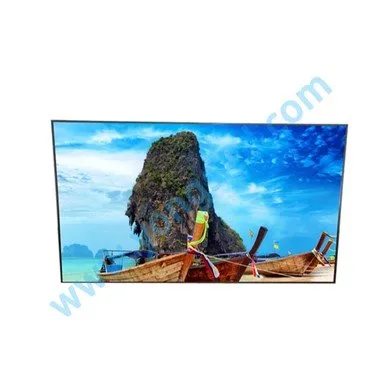
În această etapă, gama de aplicații a ecranelor de îmbinare continuă să se dezvolte. Terminalul ecranului de îmbinare LCD trebuie să fie conectat la un computer pentru a fi afișat și redat. Cum este conectat ecranul de îmbinare și computerul?
În prezent, multe unități, săli de expoziții corporative, săli de ședințe etc. pot vedea ecrane LCD de îmbinare. Inclusiv reclamele la scară mare-pe care le vedem adesea pe stradă, aceste reclame sunt compuse din multe ecrane de îmbinare LCD. Pentru un singur ecran, trebuie să conectăm doar portul VGA din spatele ecranului LCD de îmbinare la computer; dar pentru mai multe-ecranele de îmbinare: de exemplu, cum ne conectăm la computer prin intermediul a 9 ecrane de îmbinare LCD?
Normally, if we want to connect to the computer screen, we only need to connect the computer to the VGA interface. But the LCD splicing screen has so many interfaces such as HDMI, DVI, VGA, RGB, component, and terminals. Isn't it useless, isn't it? Because the LCD splicing screen is made up of many small screens, many industries need to use multiple computers to connect to the LCD splicing wall. At this time, we must equip the matrix, the matrix interface is more diverse, we only need to find the corresponding interface.
Before connecting, be sure to ask the splicing screen manufacturer to introduce you to the dedicated splicing screen connection line. When the connection line is accidentally damaged or lost, it is recommended to contact the splicing screen manufacturer to buy it or you can find friends in some industries to help you buy it to avoid unnecessary inconvenience. Many people have doubts about the display effect of the splicing screen after connecting to the computer. That is because the resolution of the splicing screen is also one of the factors of the quality of the splicing effect. The resolutions of 1366768 and 19201080 of the LCD splicing screen are the most common. Yes, there is a substantial difference between the two. Normally, the resolution of splicing screens of different sizes is different. In view of the working principle of LCD splicing screens, the resolution of LCD splicing screens is fixed, so Its best resolution is its actual resolution, and when we connect to the computer, it's best to choose the resolution setting that is closest to the resolution of the LCD splicing screen. The specific method is as follows: right-click on a blank space on the desktop and click Select "Properties" in the shortcut menu, the "Display Properties" window appears, click the "Settings" tab, and adjust the settings under "Screen Resolution".
După ce conexiunea este finalizată, putem instala și software-ul de control al ecranului de îmbinare LCD, astfel încât interactivitatea noastră să fie mai evidentă și nu există nicio problemă cu nicio operațiune conform navigației, iar funcția este mai puternică, dar trebuie să vedem dacă este un imitator în timpul instalării. Versiune, efectul software-ului copycat este foarte grav, ceea ce face ca ecranul de îmbinare LCD să nu funcționeze în mod normal este un rezultat mai ușor.